
Learning how to create a simple bookkeeping system takes about an hour to set up and roughly fifteen minutes a week to keep it current. A working system is only three moving parts: a short list of categories, a log where every dollar in and out gets recorded, and a monthly habit of matching that log back to your bank statement. You can build it in a spreadsheet you already own or in bookkeeping software — the method matters more than the tool.
This guide walks through the whole setup in the order that actually works. Plenty of small business owners stall for months because they try to learn double-entry accounting before they separate their bank accounts; reverse that order and everything after it gets easier.
Table of Contents
- What You Need
- Step-by-Step
- Common Mistakes
- When to Bring in a Professional
- Frequently Asked Questions
- Can I do my own bookkeeping with Excel or Google Sheets?
- What is the simplest bookkeeping software for a small business?
- Do I need a separate business bank account?
- How often should I update my bookkeeping?
- What records should a small business keep, and for how long?
- When should I hire a bookkeeper instead of doing it myself?
What You Need
You need four things before you type a single entry: a business bank account, a folder of source records, a list of categories, and one place to record transactions. Gathering them first turns bookkeeping from a vague monthly scramble into a ten-minute routine.
Start with a business bank account and business card. Even a free checking account held in the business name changes how everything else works. Every sale and every purchase flows through one place, so your bank statement becomes a ready-made audit of your records. Mixed personal and business spending is the single most common reason a first bookkeeping attempt collapses, and no spreadsheet can rescue it.
Next, collect the records you already have:
- Bank statements and credit card statements for the current period
- Every sales invoice you issued and every bill you received
- Receipts for anything over roughly the amount your tax office allows without one
- Payroll records, contractor invoices and any loan agreements
- Your previous year tax return, if you filed one
- Details of fixed assets you bought — a laptop, a vehicle, a printer
Then pick your tool. A spreadsheet such as Excel or Google Sheets costs nothing and handles cash-basis books fine up to a fair volume of transactions. Dedicated software such as QuickBooks, Xero, Wave, FreshBooks or ZipBooks does the repetitive work for you, pulls in bank feeds, and produces reports without formulas. Start with whatever you are already comfortable opening; you can move later without losing anything.
Finally, write down five facts: your legal business structure, your start date, who the owner or owners are, whether you are registered to collect sales tax or VAT, and your usual billing cycle. Your chart of accounts and your first report both depend on those.
Step-by-Step
1. Pick a Simple Tracking Method
Most beginners should use single-entry bookkeeping on a cash basis. Every transaction lands in one of two columns — money in and money out — and the categories just sort those amounts. It is the fastest way to get clean, usable numbers, and it satisfies most small businesses and most small-business tax regimes.
Double-entry bookkeeping records every transaction in at least two accounts, so assets always equal liabilities plus owner equity. It is the standard for larger companies and for anyone preparing formal financial statements, but it is a second stage of growth rather than a starting point.
- Single-entry suits sole traders, freelancers, side hustles and small service businesses. Easy to learn, no balancing required, weaker at spotting errors and unsuitable for inventory-heavy businesses.
- Double-entry suits companies with staff, lenders, investors or significant inventory. It catches mistakes automatically and produces a balance sheet, but the setup takes longer and errors are harder to trace while you learn.
On timing, cash accounting records income when the money lands in your account and expenses when you pay them. Accrual accounting records income when you earn it and expenses when you incur them, which matters if you invoice on 30 or 60 day terms. Cash is simpler; accrual shows the truer picture of a period, and it is what tax authorities in many countries expect once a business passes a certain size or turnover.
You know this step worked when you can state in one sentence which method you use and why, and when a stranger could open your file and see where income and expenses are recorded.
2. Build a Chart of Accounts That Fits
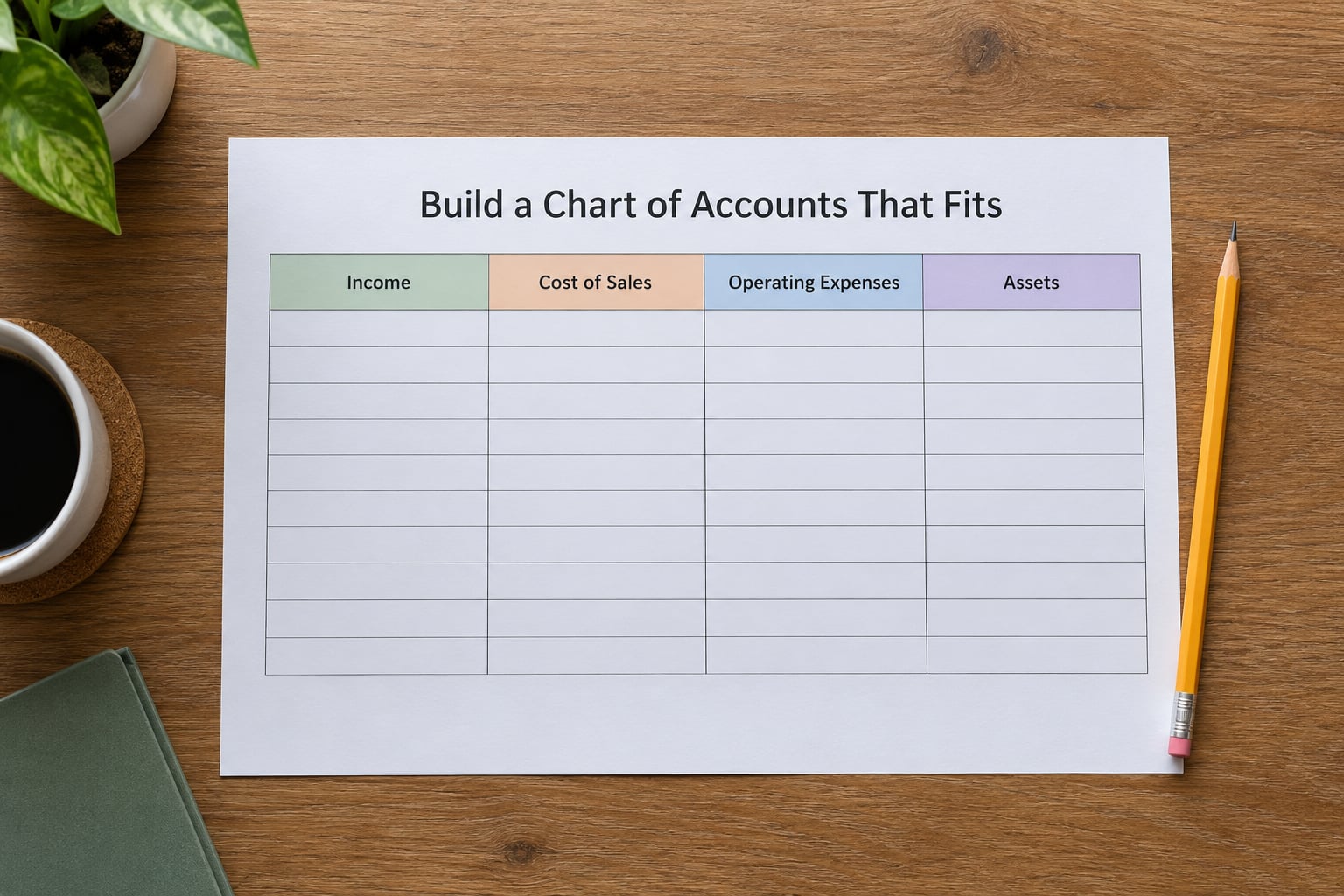
A chart of accounts is simply your list of categories, organised so that totals are meaningful. Resist the urge to build fifty categories at the start. Fifteen good ones will carry a small business through most years, and you can add more when a category starts hiding real money.
A workable starter list looks like this:
- Income: product sales, service revenue, tips, refunds
- Cost of sales: materials, direct labour, shipping, platform fees
- Operating expenses: rent, utilities, software subscriptions, marketing, insurance, professional fees
- Vehicle and travel: fuel, maintenance, mileage, parking
- Equipment: tools, computers, phones, furniture
- Money you owe: accounts payable, credit card balance, loans, taxes owed
- Money owed to you: accounts receivable, deposits
Adjust the list to what you actually sell. A freelance designer usually needs software, phone, internet, insurance and continuing education rather than a cost-of-sales line. An ecommerce seller needs cost of goods sold, packaging, shipping and marketplace fees kept strictly separate from general expenses, because that line decides whether the business is genuinely profitable. A tradesperson needs materials, subcontractor labour, insurance and vehicle costs as four separate lines.
Give each category a short code — 4000 for service revenue, 5100 for rent — and use that code everywhere it appears. Codes keep categorising fast and make your monthly summary easy to build.
This step worked when every transaction you can imagine has exactly one obvious home, and no category holds more than about a quarter of your spending.
3. Set Up a Transaction Log
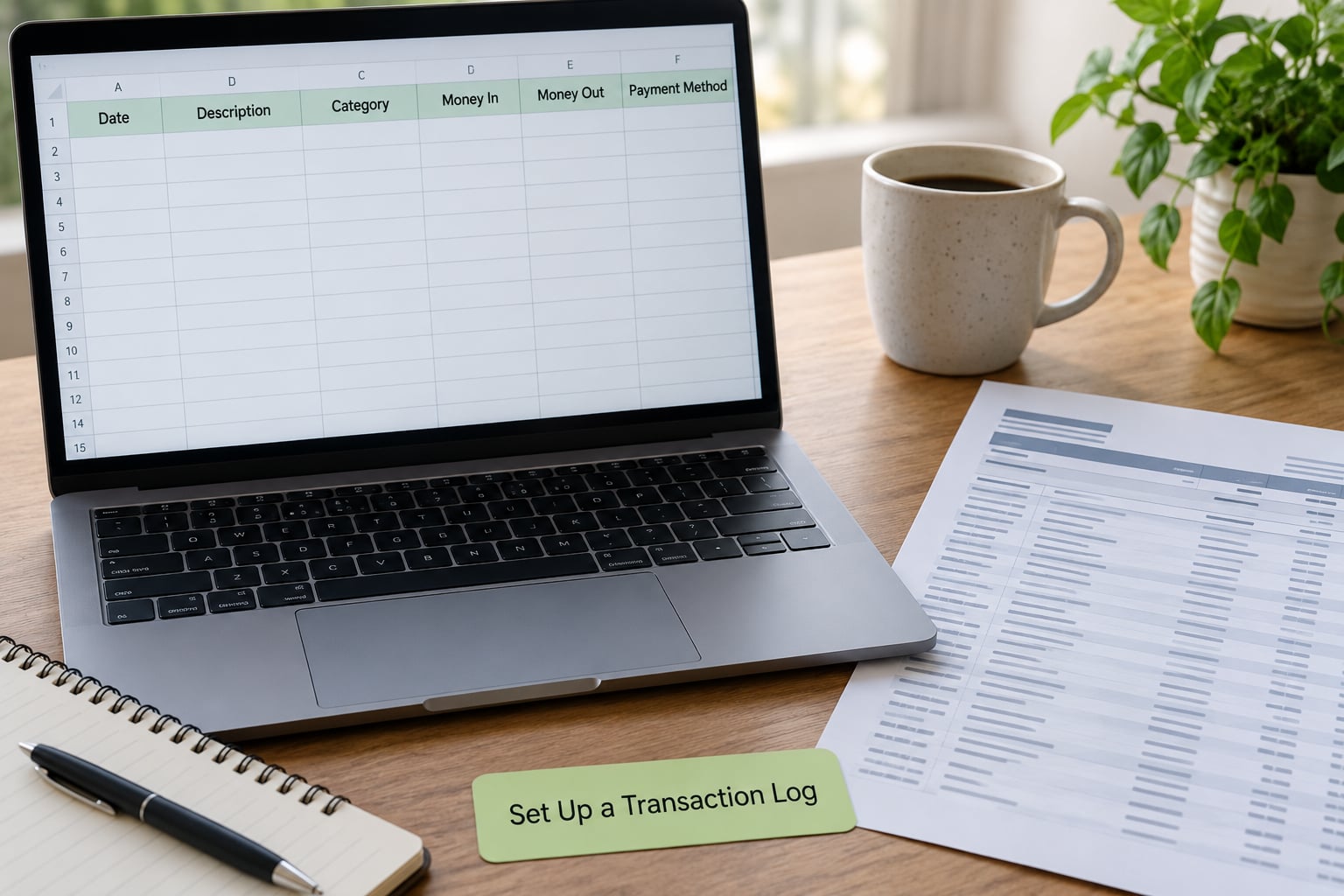
The transaction log is the single sheet where everything lands. Build it with these columns and nothing else until you are comfortable:
- Date of the transaction
- Description, in plain words — who and what
- Category code from your chart of accounts
- Money in
- Money out
- Payment method — cash, card, bank transfer, direct debit
- Reference number — invoice number or receipt file name
Add two summary boxes at the bottom, one totalling money in and one totalling money out, and leave a line between them for the difference. That difference is your profit, and it should be a number you can quote without opening a second file.
Create one tab per month rather than one endless tab. A single sheet with 4,000 rows is slow to scroll, easy to filter wrong, and unpleasant to archive. Monthly tabs also give you a natural backup point, since each closed month is a snapshot you never have to edit again.
You know the log is right when you can type a new row without thinking about where it goes, and when a row entered five months ago still looks exactly like a row entered today.
4. Record Every Business Transaction
The habit matters far more than the method. Owners on r/smallbusiness and r/Bookkeeping describe the same pattern: a fifteen-minute weekly session beats a five-hour monthly session, because small gaps are easy to close and a three-month backlog is not.
Block a recurring fifteen minutes on Friday afternoon and follow the same short sequence each time:
- Download or open the week’s bank and card statements
- Enter anything still missing, receipts first
- Categorise every new line using your codes
- Scan or photograph receipts into a folder named for the month
- Check that the bank’s own total matches your running total
Two habits keep the data honest. Record expenses on the day you pay them rather than batching them, and never let a personal purchase touch the business account or the log. If something genuinely serves the business but you paid for it personally, record it as an owner contribution or a reimbursement, and keep the receipt.
Categorising is the slowest part, and it is where AI tools genuinely help. You can paste a list of raw transaction descriptions and ask for a first pass at codes, then correct the answers yourself. A prompt like this works well:
You are helping me categorise small business transactions. Here is my list of chart of accounts with codes: [paste your list]. Here are 20 transaction descriptions and amounts: [paste them]. For each one, return the code and the account name, and flag any that are ambiguous or look personal rather than business. Do not guess on the ambiguous ones — mark them NEEDS REVIEW.
Use it as a first draft only. AI tools are confident and sometimes wrong, and they will never notice that a receipt in your glovebox is missing. You stay responsible for every figure you file.
This step is working when your log is never more than a week behind and you can explain any single line without opening another file.
5. Reconcile Your Records Against the Bank
Bank reconciliation is the monthly check that turns a list of entries into reliable books. It is also the step beginners skip, which is why their numbers drift away from reality within a few months.
Open your statement, open your log for the same month, and work from the bank’s closing balance. Add your entries that have not hit the account yet — a customer cheque you deposited but that has not cleared, a card payment still in transit — and subtract any bank item you have not recorded, such as a monthly service fee or interest. The two figures should land on the same number.
When they do not, four causes account for nearly every difference:
- A transaction recorded twice, often a subscription that imports automatically and also gets keyed in by hand
- A missing bank fee, interest charge or returned payment fee
- A payment that cleared the account in a different month than you booked it
- A direct debit you have not identified, often an automatic software renewal
Correct the log, never the bank statement, and add a short note beside the entry so you recognise the same item next month. If the gap is more than a few percent of your monthly total, go back further — a bad month usually means an earlier error.
A clean reconciliation ends with two matching numbers and a zero unexplained difference. That zero is the whole point.
6. Review Cash Flow and Profit Every Month
Once a month, reduce the log to three numbers: total money in, total money out, and the difference between them. Write them on one page with the same three numbers from the month before. That page is more useful to a small business owner than a full financial statement set, because it shows direction.
Add two more lines to the same page:
- Available cash — the real balance across business accounts, not the profit figure. Plenty of profitable months run short of cash because invoices are still unpaid.
- Outstanding receivables — every invoice still unpaid, with its age. Anything past 60 days needs a friendly email, because invoices nobody chases rarely get paid.
Profit is an accounting idea; cash is a timing idea. A month can show a comfortable profit while a large customer invoice sits unpaid for 45 days, and that gap is what shuts down otherwise healthy businesses. Watching both numbers monthly is the practical skill bookkeeping is meant to build.
You are doing this right when you can say, without hesitating, whether this month was better or worse than last, and why.
7. Back Up and Maintain the System
A bookkeeping file you cannot restore is a liability. Set up automatic backups before anything else, and test that you can open a restored copy once, so you know the setting works rather than assuming it.
Keep receipts electronically in a single cloud folder — Drive, Dropbox or OneDrive — named by month. Photograph paper receipts the same day you put them in the file. A search for a single receipt two years later is worth the five minutes of habit now.
Close each month rather than leaving it open. Once reconciled, mark the month as complete, store a copy outside your working folder, and stop editing it. Editing a closed month is where small errors multiply.
On retention, US owners should generally expect the IRS to want business records for at least three years, with some categories, such as payroll and certain expense records, held longer, and invoices for goods generally kept longer than for services. Australian owners face comparable but different rules through the ATO. Requirements differ by country, state and entity type and they change, so confirm the current periods for your situation with a tax professional before you clear anything.
Once a quarter, spend an hour reviewing your chart of accounts. Merge categories that never get used, add ones that keep splitting, and check that your software or spreadsheet structure still matches how your business earns money. Businesses change shape; the category list should change with them.
Common Mistakes
Mistakes That Cost the Most Time
Nearly every wasted evening in small business bookkeeping traces back to one of these, and each has a simple correction.
- Mixing personal and business spending. It destroys the reliability of every total and makes tax time painful. Fix: move everything to the business account and go back through the last three months, splitting the statement line by line.
- Falling behind and then dreading the backlog. Three months of uncategorised entries feels like a wall, so owners quit. Fix: do one month only, get it reconciled, then move forward. The wall is smaller than it looks from a distance.
- Recording categories that are too broad. A single “expenses” column tells you nothing at year end. Fix: split it into rent, software, marketing, travel and equipment, and check that no single category holds more than a quarter of spending.
- Guessing at receipts. If a figure cannot be supported, tax time becomes an argument. Fix: photograph receipts the day they arrive and treat the reference field as mandatory.
- Never reconciling. Errors compound quietly until the books and the bank describe two different businesses. Fix: block 30 minutes every month, right after your billing cycle closes.
- Building a fifty-category chart on day one. You will abandon it inside a month. Fix: start with fifteen categories and add more only when a real pattern shows up.
- Leaving accounts receivable out of the picture. Money owed is not money in, and profit figures built on unpaid invoices are fiction. Fix: list unpaid invoices monthly with their age.
- Using consumer habits for business records. A screenshot of an app is not a durable financial record. Fix: export or back up your data to a cloud folder you control, and keep a simple monthly summary you could hand to an accountant today.
When to Bring in a Professional
Doing it yourself works while the numbers stay small and the transactions stay understandable. Bring in a bookkeeper or accountant when any of these become true, because the cost of a clean set of books is far lower than the cost of untangling bad ones years later:
- Monthly transactions run into the hundreds and categorisation eats whole evenings
- You have employees, payroll, or a loan with a lender who wants financial statements
- Sales tax or VAT registration makes filing complex enough to need certainty
- You are two or more years behind and need a catch-up plus a clean starting month
- Investors, a bank, or a sale of the business will require audited or formal accounts
A common middle path works well: pay a professional to set the system up and clean the backlog, then do the routine maintenance yourself. Owners on r/Bookkeeping frequently describe this hybrid as the sweet spot, since the setup is a one-time project while the weekly recording is a habit you can own.
Until then, do the work yourself. Bookkeeping basics for beginners are genuinely simple once the structure exists, and you learn far more from maintaining your own small system than from outsourcing it from the start.
Frequently Asked Questions
Can I do my own bookkeeping with Excel or Google Sheets?
Yes, for most small businesses a spreadsheet handles cash-basis bookkeeping perfectly well. Build a monthly log with fixed columns, a small chart of accounts, and two summary totals. Spreadsheets are free, familiar, and you control the layout. The limit arrives when you need bank feeds, invoice tracking, or multi-currency handling. Many owners start in a spreadsheet and migrate to software once transaction volume grows.
What is the simplest bookkeeping software for a small business?
The simplest options are the ones with a clean income and expense view, automatic categorisation, and direct bank connection. Wave is frequently recommended because of its free tier, while Xero, QuickBooks Online, FreshBooks and ZipBooks are common paid picks. Judge software on how fast it imports a bank feed and how easily it produces a monthly profit summary, not on its feature list. Try one with a full month of real transactions before committing.
Do I need a separate business bank account?
Practically, yes. A dedicated account makes reconciliation simple, keeps tax time painless, and makes profit figures trustworthy. It is usually inexpensive to open and often the first thing an accountant asks you to do. If you already share an account, open a second one, route all business income and expenses through it, and go back through recent statements once to split anything mixed.
How often should I update my bookkeeping?
Weekly is the sweet spot. A fifteen-minute Friday session that records the week and files receipts prevents a backlog, and monthly reconciliation then takes about half an hour. Monthly-only bookkeeping works for very quiet businesses with few transactions, but the moment activity picks up, the gap grows. Whatever cadence you choose, stick to it for three months before judging whether it is working.
What records should a small business keep, and for how long?
Keep invoices issued and received, receipts, bank and card statements, payroll records, loan agreements, asset purchase documents, and your filed tax returns. In the US the IRS generally expects at least three years, with longer periods for payroll and certain records; Australian requirements through the ATO differ. Periods vary by country, state and entity type, so confirm your current obligations with a tax professional before deleting anything.
When should I hire a bookkeeper instead of doing it myself?
Hire help when transactions reach the hundreds each month, or when you have payroll, lenders, investors, or complex sales tax filing. A frequent compromise is paying a professional to build the system and clear a backlog, then handling the weekly recording yourself. That keeps the expensive one-time work in expert hands while you stay in control of the routine and the cash picture.
If you do only one thing this week, open a business bank account and start a single log with a dozen categories. Fifteen minutes every Friday keeps it honest, and a monthly reconciliation turns those entries into numbers you can actually run the business on.