Knowing how to write a professional email that gets a reply comes down to editing, not writing. A reply-friendly email is short, single-purpose, and asks for one specific thing. Name the outcome you want, write a subject line with two concrete details, open with why you are writing in two sentences, and end with an ask the reader can answer in a few words.
Here is the process in five steps:
- Define one response you want. Not “a reply” — a decision, a document, a meeting time, or an answer to one question.
- Write a specific subject line. Five to nine words with two concrete attributes in it. No “Quick question” or “Following up.”
- Open with context, not filler. Two sentences: the relationship, then why you are writing now.
- Keep the body under 150 words. Context, value, ask — in that order, with the important line first.
- Close with a clear next step and a calm sign-off, then send two follow-ups that each add something new.
The rest of this guide breaks each step down, gives you six templates you can copy today, and covers the mistakes that make good emails go quiet.
Table of Contents
- What You Need
- How to Write a Professional Email That Gets a Reply: Step by Step
- 1. Define the Response You Want
- 2. Choose a Relevant Subject Line
- 3. Open With Context and Respect
- 4. Keep the Body Short and Focused
- 5. Make the Ask Specific and Easy
- 6. Close Professionally and Follow Up
- Common Mistakes
- Frequently Asked Questions
- How long should a professional email be when you need a reply?
- What should I write in the subject line of a professional email?
- How long should I wait before following up when no one replies?
- How do I follow up with a busy hiring manager without sounding pushy?
- Should I send a professional email again if I do not hear back?
- Conclusion: Send One Clear Email
What You Need
Most bad emails are missing information the writer already had. Gather these six things before you open a blank draft, and the writing takes about five minutes instead of forty.
- Who the recipient is and what they care about. Their role, their priorities this quarter, and the last real interaction you two had. A reference to something specific from that conversation is worth more than three sentences of compliments.
- The one response you want. Write it as a sentence: “I want her to confirm the panel date by Thursday.” If you cannot finish that sentence, you are not ready to draft.
- Timing and the reason for it. A deadline without a reason reads as pressure. “Invoice 4471 is 30 days past due and finance closes on the 28th” gets a reply; “please respond ASAP” does not.
- Evidence you did the work. A metric, a draft link, a screenshot description, a one-line result. This is what separates a professional email from a request.
- Links and attachments, decided. Decide now whether the reader needs the whole document or just the one page. A link they can click beats a 4 MB attachment every time.
- A signature block you are not embarrassed by. Full name, title, company, phone, and a one-line description of what you actually do. Most reply-rate killers hide in a blank signature.
How to Write a Professional Email That Gets a Reply: Step by Step
Follow these six steps in order. The order matters because each step sets up the next — a vague ask makes a good subject line pointless, and a strong subject line cannot rescue three buried requests.
1. Define the Response You Want
Write the reply you want before you write the email. This one habit eliminates most of the writing and most of the missed replies, because it forces you to choose between asking for everything and asking for one thing.
A low-friction ask is a request the reader can complete in under a minute: reply with a date, reply yes or no, click one link, forward one file. Anything that requires them to go away and think is high friction, and high friction means silence.
| Weak ask | Low-friction ask |
|---|---|
| “Let me know your thoughts on the proposal.” | “If it works, reply approve and I’ll book the room. If it needs changes, reply with the two biggest ones.” |
| “Would you be open to a call sometime?” | “I can do Tuesday at 10 or Wednesday at 2 — which works?” |
| “Following up on my application.” | “Are you still able to hold a slot for the 14th, or should I release it?” |
| “Can you send over the updated numbers?” | “I need the Q3 numbers by Thursday to finish the deck — or tell me who has them if that’s faster.” |
If your ask needs two questions, split it into two emails and send the more time-sensitive one first. Two questions in one message reliably gets you one answer.
2. Choose a Relevant Subject Line
The subject line is the only part of the email some recipients will ever read, so it has to work alone. Five to nine words, two concrete attributes, no clickbait. It is also the highest-leverage ten seconds in the whole process, which is why most guides on how to write a professional email that gets a reply spend more time here than anywhere else.
Two attributes means two specific nouns or numbers: the project and the date, the invoice number and the amount overdue, the role and the interview stage. Research on large email datasets has found replies run meaningfully higher when subject lines carry two specific attributes rather than one, and body text that has been genuinely personalised — real detail, not a mail-merge field — outperforms generic copy by a large margin.
| Weak subject line | Why it fails | Strong subject line |
|---|---|---|
| Quick question | No reason to open | Panel date for the Atlanta store role |
| Following up | Says nothing, looks like a template | Re: Q3 launch plan — two open decisions |
| Important update | Nothing is important five times a week | Invoice 4471 — 30 days past due |
| Touching base | Reader has no idea who this is | Following up on our Tuesday sourcing call |
| Question about the role | Dozens arrive daily | Your posting: who reviews applications first? |
Match the subject line to the scenario:
- Request to someone senior: the decision and the date. “Your call on the vendor — needed by Thursday”
- Follow-up: reuse the original thread subject and add the new fact. “Re: Contract — signature page returned”
- Cold introduction: the two things you share. “Former Colgate ops lead applying to your Atlanta role”
- Application: role plus stage. “Product marketing application — next steps”
Never put an urgent request only in the subject line. Some recipients never see it.
3. Open With Context and Respect
The first two lines decide whether there is a second line. Most readers are on a phone, between meetings, and they are deciding in about four seconds whether you need anything from them.
A strong opening does three things in two sentences: it names the relationship, it states what changed or why now, and it implies the time cost is small. That is recipient-first framing — you lead with their situation, not yours.
Cut these openers on sight: “I hope this email finds you well,” “Sorry for the delay,” “I wanted to reach out,” “Just following up,” and any sentence about how the recipient’s company is doing great. They cost a line and return nothing. Apologising for something that was not your fault reads as weak; apologise only when you genuinely caused the problem, once, without a paragraph attached.
Compare:
Before: “Hi Marcus, I hope you have been well and that things are going smoothly on your end. I wanted to circle back on the thing we discussed, if you remember, about the vendor comparison. I know things are hectic.”
After: “Marcus — the vendor comparison from Tuesday needs a decision by Thursday to hit the launch date. I narrowed it to two options and attached the cost breakdown.”
Same information, one line, no filler. The second version also earns the subject line, because it repeats the deadline in a scannable place.
4. Keep the Body Short and Focused
Under 150 words for a one-to-one email. For cold outreach to someone you have never met, 80 to 100 words is safer. Past that length, reply rates fall off and the ask at the bottom stops being read.
Order matters: context, then value or evidence, then the ask. If you lead with your biography, the reader has no reason to keep going. If you lead with the fact that matters to them, they will read the ask.
Use bullets when you have more than two items. A three-line list gets scanned in a second; the same three items as a paragraph takes fifteen.
On attachments, this is where a lot of good emails die. A recipient on mobile cannot preview a spreadsheet, and an unexplained attachment feels like homework. Attach what cannot be linked, name the file with the date or version (“supplier-budget-v3.xlsx”), and explain in the body why it matters. Send one file, not four.
One more habit worth having: put the request in the first three lines as well as the last. People skim, read the bottom, and some read only the middle. Repetition of a single ask is not padding.
5. Make the Ask Specific and Easy
The ask is the reason the email exists, so it should be the easiest sentence in it. Give the reader the reply format: a date, a yes or no, a click, a one-line answer.
Three moves raise the odds. Offer two concrete options instead of one vague one, because choosing is faster than inventing. Attach a reason to your timing, so the deadline is a constraint rather than a demand. And close the loop on what happens if they cannot: “If this week is impossible, tell me and I will take it to Dana instead.” That sentence removes the trap of feeling cornered, which is what kills replies from busy people.
Template — request to your manager:
Subject: Decision on the Atlanta vendor — needed by Thursday
Hi Renée,
We narrowed the vendor list to two. Brightline is 8% cheaper and their onboarding is two weeks; Kestrel is 18% more expensive but has the compliance review already done, which saves us about a month.
My recommendation is Kestrel. Can you confirm by Thursday so I can sign and have it running before the 1st?
Thanks,
Malik
Template — scheduling a call:
Subject: 20 minutes on the launch retrospective — Tuesday 10 or Wednesday 2?
Hi Dana,
Now that the launch numbers are in, I would like 20 minutes to walk through what moved and what did not. I have Tuesday at 10 and Wednesday at 2 open.
If neither works, send me two windows that do and I will fit around them.
Best regards,
Malik
Template — cold introduction to someone you do not know:
Subject: Former Colgate ops lead applying to your Atlanta role
Hello Ms. Alvarez,
I ran supply operations for three Colgate plants and cut back-order rates 22% in my first year. Your Atlanta role sits at the same problem.
Is this something worth 15 minutes? If so, I can do next Tuesday afternoon or Thursday morning.
Regards,
Malik Grant
6. Close Professionally and Follow Up
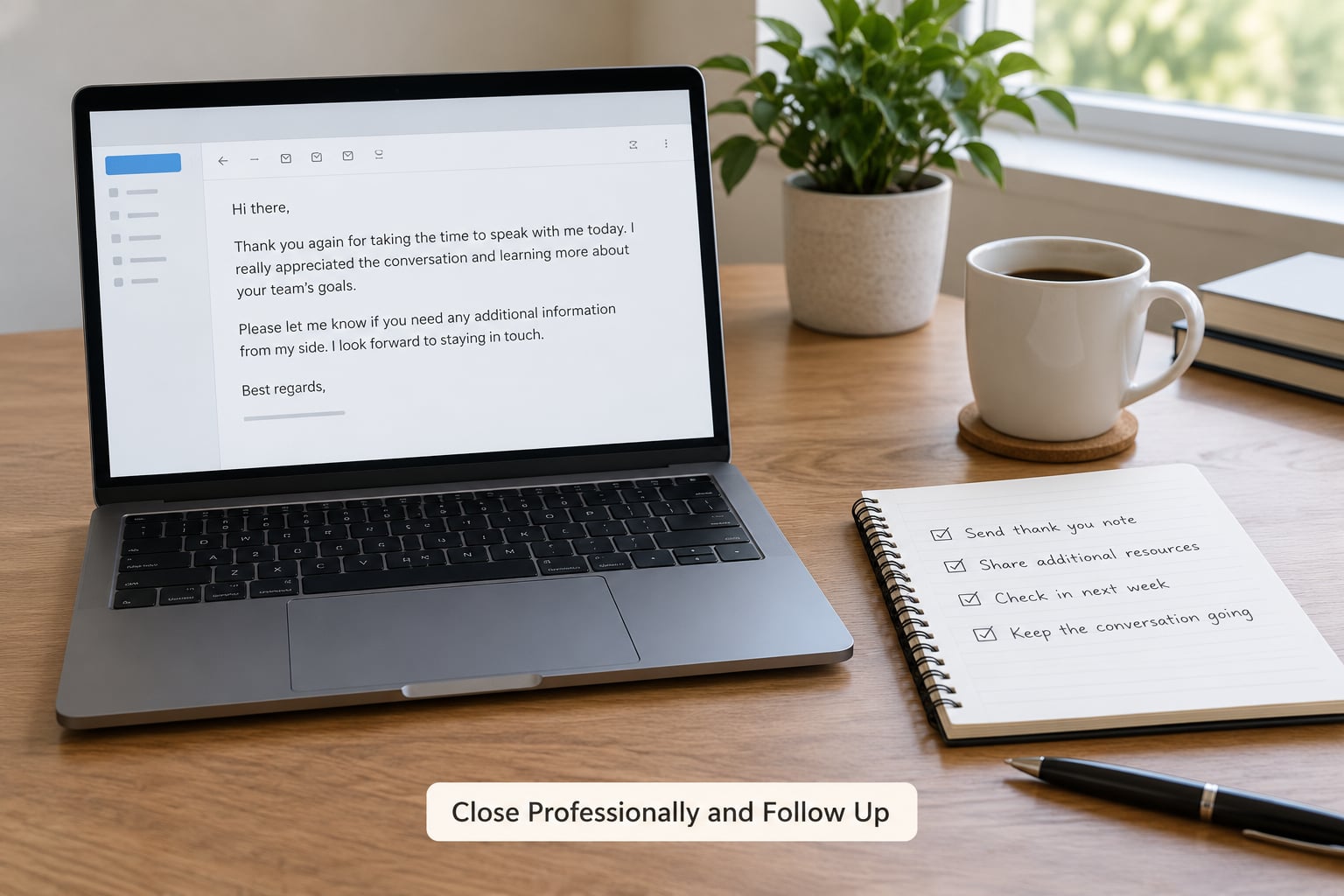
Close with a short line, a sign-off, and a reminder of the next step in one sentence. Resist the urge to add a paragraph of gratitude — a bare “Thank you” as the entire sign-off reads as transactional to a lot of people, and one employee forum complaint after another is about exactly that.
Safe defaults across most professional contexts: Best regards, Kind regards, Regards, Thanks and Cheers. “Sincerely” and “Respectfully” fit legal, formal and board-level communication. Skip anything cute, anything with an emoji, and “Your obedient servant” — that last one dates the writer badly.
Match the register to the reader and keep it consistent. A peer gets “Hi” or “Hey”. A manager or executive gets “Hi” plus surname or first name, no emoji, no exclamation marks. An international recipient gets a little more formality than you would use locally, and a first-name greeting alone can read as overfamiliar in several business cultures.
Now the follow-up, which is where most people give up too early or push too hard.
| When | Angle | Example line |
|---|---|---|
| Day 4-5 | Add a new fact, do not repeat the ask | “The vendor sent over their security review, so I attached it — it closes the main open question.” |
| Day 10-14 | Make it easy to decline | “Checking in on the vendor decision. If it has moved to someone else on your side, who should I ask?” |
| Day 21 | Close the loop and leave the door open | “I will assume this has gone quiet, so I will stop nudging. If the timing changes, my inbox is open.” |
Three is the ceiling for a first email. More than that and you become the person everyone filters.
Each nudge should carry something new — a document, a date, a changed circumstance, a smaller ask. A follow-up that repeats the original request word for word signals that you did not accept the non-reply as an answer.
Then there is the awkward case: the reply that comes back sharp. Workplace forums are full of threads about passive-aggressive email, and it is a genuine problem in plenty of professional inboxes. When someone sends a pointed message, do not match the tone and do not grovel. Restate the facts, keep the ask, and give them a face-saving exit.
Sharp: “As I have already explained twice, the budget is frozen until next quarter.”
Reply: “Understood, thank you for the clarity. If a request goes out before then, who owns it on your side so I can route it correctly?”
Short, factual, and it keeps the work moving. Silence is often the same thing — busy people triage, and a reply is not always a judgement of you or your message.
Common Mistakes
These nine mistakes account for most quiet inboxes. Each one has a quick fix and a before-and-after line.
1. A subject line that could belong to anyone. “Question,” “Update,” “Follow up” all cost you the open.
Fix: two concrete attributes. Before: “Question about the timeline.” After: “Timeline decision needed before Friday’s client call.”
2. Filler openers. “I hope this email finds you well” and “Just circling back” spend the reader’s patience before you have earned any.
Fix: name the relationship and the reason in the first two sentences. Before: “I hope you have been well. I wanted to touch base.” After: “Marcus — Thursday is the last day to get the vendor signed.”
3. Multiple asks in one email. Three questions gets you the easiest answer and silence on the other two.
Fix: one ask per email, sent in priority order. Before: a paragraph asking for budget approval, a call, and a reference. After: “Approve the 12k line item by Thursday and I will book the contractor.”
4. A deadline with no reason. “ASAP” and “urgent” get filtered by reflex.
Fix: attach the constraint. Before: “Please reply ASAP.” After: “The print vendor needs final counts by Wednesday or we send the order short.”
5. Buried deadlines. If the date appears only in paragraph four, a skimming reader will never see it.
Fix: date in the subject line, date in the first line, date again beside the ask.
6. A bare “Thank you” as the whole sign-off. It reads as transactional and closes the door emotionally.
Fix: one line of real appreciation plus a professional sign-off. Before: “Thank you.” After: “Thanks for turning this around so fast — genuinely made my week easier.”
7. Paragraph walls. A solid block of text signals effort for the reader, not for you.
Fix: three to five lines per paragraph, bullets for anything with three or more items, and the important line first.
8. An unexplained attachment. Four files, no context, one download the reader will postpone forever.
Fix: one file, named with a version or date, linked rather than attached where possible, with a sentence on why it matters. Before: “Attached.” After: “Attached is the one-page cost comparison — Brightline versus Kestrel, with the compliance timeline on page two.”
9. Tone that does not match the relationship. Full jokes to a CEO, or hard-edged brevity to a colleague you have never met, both read as a mismatch rather than confidence.
Fix: mirror their register. If their last email was three lines and formal, yours should be too.
Two smaller habits pay off fast. Read the email out loud before you send; awkward phrasing catches you that the eye slides over. And proofread twice, because grammar complaints are one of the most common workplace complaints people make about their inbox, and it is the cheapest thing you can fix.
Frequently Asked Questions
How long should a professional email be when you need a reply?
Under 150 words for one-to-one professional email, and 80 to 100 words for cold outreach to someone you have never met. Put the reason you are writing in the first two sentences, the evidence in the middle, and the ask in the final two lines. If your draft runs longer, look for backstory the reader does not need to act.
What should I write in the subject line of a professional email?
Five to nine words containing two concrete details about the topic, such as the project and the date, or the invoice number and how long it is overdue. Keep it honest and specific. Avoid generic openers like Quick question, Following up, or Important update, because they give a busy reader no reason to open the message.
How long should I wait before following up when no one replies?
Wait four to five business days for a normal request, then send a short nudge that adds something new rather than repeating the ask. A second follow-up around day 10 to 14 can offer an easier exit. A final note near day 21 should close the loop politely. Three messages total is a reasonable ceiling for a first email.
How do I follow up with a busy hiring manager without sounding pushy?
Assume the first email was lost, not rejected, and give them an easy way to answer a smaller question. New information works best: the new role timeline, an updated portfolio link, or a specific availability question. Keep it under four lines, thank them once, and ask whether the role is still open so they can close it politely.
Should I send a professional email again if I do not hear back?
Yes, twice more is normal and expected for anything important. Stop if you have sent three messages with nothing back, because silence usually means a decision was made elsewhere, a deadline passed, or someone else owns the decision now. Close the last note by saying you will stop nudging and that your inbox is open if things change.
Conclusion: Send One Clear Email
Getting a reply comes down to three decisions made before you type: what the one response is, what the subject line tells the reader, and what happens next after they hit send. Everything in between is trimming.
If you remember one thing about how to write a professional email that gets a reply, make it this: take the draft sitting in your folder now. Write down the single answer you want from it. Rewrite the subject line with two specifics. Move the ask up next to the deadline. Cut everything the reader does not need in order to give you that answer. Then send it today, and follow up twice with something new each time.
Updated for 2026.