
Saving money on autopilot means moving money out of your paycheck before you get a chance to spend it, using transfers that run on their own every payday. Set up a target, split your direct deposit, keep a small cash buffer, and review the numbers once a month. The whole setup takes an hour, and most of the work happens before the money ever moves.
That last part is the trick. Most people lose savings not because they earn too little but because saving is a decision, and decisions get skipped on the weeks when money is tight. Automation turns it into a setting instead, and a setting survives a bad week.
What follows is the system I would build from scratch, in the order that matters. Rates and program rules change over time and differ by country and state, so treat the percentages here as starting points rather than fixed answers, and talk to a qualified professional about your own situation.
Table of Contents
- What You Need
- Step-by-Step
- Step 1: Set a Specific Savings Target
- Step 2: Build a Simple Spending Baseline
- Step 3: Separate Your Spending and Savings Money
- Step 4: Automate Transfers on Payday
- Step 5: Start With a Small Emergency Buffer
- Step 6: Add Automatic Goal Contributions
- Step 7: Review and Adjust the System
- Common Mistakes
- Frequently Asked Questions
- How much should I automate saving each month?
- Can I save money automatically if I have an irregular income?
- Should automatic savings come before or after paying bills?
- What is the best account for saving money automatically?
- How do I stop myself from spending money I automatically saved?
- Conclusion
What You Need
You need less than most guides imply. No special software, no financial degree, no complicated spreadsheet. Six things, and four of them you probably already have.
A target written as one number and one date. Not “save more.” A number you can check. Write it on paper or in your notes app: the amount, the deadline, and what it is for. A starter buffer and a retirement account are different targets with different timelines, and mixing them makes both harder to hit.
A one-page baseline of what comes in and what goes out. Thirty days of real numbers beats any budget template. Bank apps will show you the categories without work. You only need the totals: monthly take-home income, fixed costs, and what the flexible spending actually averaged.
Two accounts at the same bank. One checking for spending, one savings for everything you are not spending this month. Same bank means the transfer is instant and free, which matters a lot when you are moving money weekly. Different banks can work, but they add a delay you will eventually resent.
Access to your payroll setup. Most people can split a direct deposit through an online portal or a form. Some employers pay one paper check and make you do it yourself, and gig workers have no payroll department at all. Know which situation you are in before you plan around a split.
A calculator and ten minutes a month. That is the whole maintenance budget. A monthly review that you actually keep is worth more than an elaborate system you abandon in March.
A cushion before anything else. A little breathing room in checking so an automatic transfer never lands on a day the account is empty. We will size this in Step 5.
One more thing worth deciding up front: how long this takes to review. Ten minutes on a fixed day works for most people, and an unfixed day tends to become a skipped day within two months. Pick the day before the temptation, not the day after.
Step-by-Step
Seven steps, in this order. Do them sequentially and each one makes the next one easier. Skip ahead and you will end up with transfers that fail, and failed transfers are how people decide automation is a bad idea.
Step 1: Set a Specific Savings Target
A vague goal cannot be automated, because there is nothing to schedule. Convert it into two things: a target balance and a monthly contribution.
Start with the balance. For most households, the first target is a starter buffer of one to two weeks of essential expenses, then an emergency fund of three to six months of essentials. Essentials mean rent, food, utilities, insurance, minimum debt payments, and medicine. Anything you can cut by choice does not belong in that number.
Then divide. If your essentials are 2,400 a month, a three-month emergency fund is 7,200 and a six-month one is 14,400. If you need 2,400 for a buffer and 14,400 for emergencies, that is 16,800 total, and any number you automate is really a contribution toward that balance.
Give it a timeline. Twelve months to the starter buffer is fast enough to feel real and slow enough to keep. Then add the long-horizon targets separately: retirement contributions, a family expense, education, a home purchase, a business. Each one gets its own line so you can see which one is actually moving.
You will find that the total you can automate without stress is smaller than the total you would like to save. That is normal. Set the number you can repeat on a bad month, not the number you would enjoy in a good one, and raise it later in Step 7.
Step 2: Build a Simple Spending Baseline
Automation moves a fixed amount on a fixed date, so you need to know what your spending can actually support. Most failed systems fail here: the transfer was set based on hope instead of arithmetic.
Pull three months of statements if you can. One month hides annual and quarterly bills, and one unusually quiet month hides the real pattern. Pull out two columns, fixed and flexible.
Fixed costs are the ones that show up at the same amount: rent or mortgage, car payment, insurance, phone, utilities within their normal range, minimum debt payments, subscriptions. Flexible spending is everything you choose in the moment: dining out, rides, clothing, entertainment, impulse buys.
Now do the subtraction that matters. Take your average monthly take-home pay, subtract the fixed total, and what remains is your true discretionary capacity. That remainder, minus a safety margin, is the most you can automate before it starts fighting your bills.
Two examples make this concrete. Take-home of 4,000 with fixed costs of 2,900 leaves 1,100, and after a margin you might automate 600. Take-home of 4,000 with fixed costs of 3,600 leaves 400, and automating more than 200 would guarantee you would raid the savings in a bad month. Same income, very different systems, both honest.
Look hard at the fixed column for waste while you are there. Subscriptions people forgot about, insurance riders nobody uses, a phone plan sized for a family that shrank. Ten minutes here pays for itself every month, and it reduces the amount you have to steal from savings later.
Step 3: Separate Your Spending and Savings Money
This is the step that makes the rest automatic. If savings and spending live in the same account, every purchase is a negotiation with your own future self. Two accounts turn that negotiation into a fact.
Open a savings account at the same bank as your checking, and name it for its purpose. A name like “buffer” or “emergency” is worth more than you would think, because people raid unlabeled savings far more often than labeled ones. Some banks also offer named sub-accounts inside one savings balance, which is useful when you are juggling three or four goals.
Many banks pay a little more interest when a direct deposit lands in an account, and some online banks pay meaningfully more than the big institutions do. Rates move with the Federal Reserve, so this is a place to check periodically rather than a place to pick once and forget. Compare the current rate, the minimum balance requirement, and whether the account supports sub-accounts before you commit.
Once the savings account exists, the separation is physical. Money that arrives there is not on your debit card. Most people describe this as the whole benefit, and they are right.
If your bank has no sub-account feature and you have several goals, look at a bank that does, or use a separate account per major goal. Four accounts is manageable. Fourteen is not, and you will stop maintaining them.
A short table is useful here, because people mix up accounts that sound alike and end up paying a penalty for pulling money out early.
| Account | Held for | Can you pull it out any time? |
|---|---|---|
| Checking | Bills and day-to-day spending | Yes |
| High-yield savings | Buffer and emergency fund | Yes |
| Retirement account | Money you will not need for decades | Usually not without a tax penalty |
| Health savings account | Eligible medical costs | No, for anything else |
| Education account | Qualified education expenses | No, for anything else |
The last two only apply if you are eligible for them, and both come with conditions that differ by country and state and change over time. Read the current rules before you contribute, and treat the penalty column as the main reason these accounts work: what you cannot grab easily, you leave alone.
If you are married or share finances, set the shared accounts up once and agree on which transfers happen automatically before either of you is tired and tempted. Couples who argue least about money are usually the ones who decided the percentages in advance rather than negotiating them monthly.
Step 4: Automate Transfers on Payday
Two mechanisms do this work: a direct deposit split and a scheduled transfer. Use both if you can.
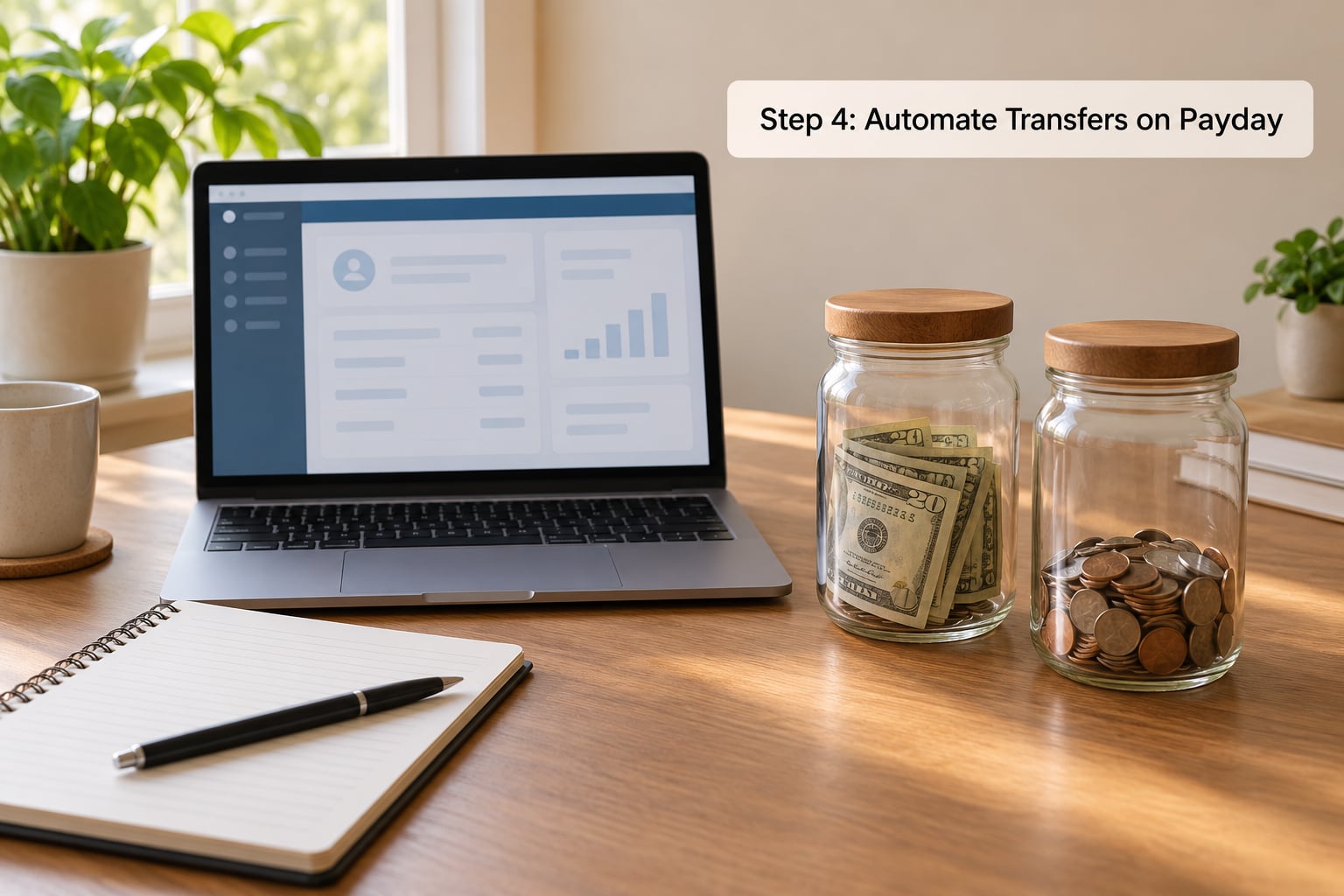
A direct deposit split sends fixed portions of each paycheck to different accounts before you touch any of it. Most employers let you set percentages in a portal or on a form. The order is what matters: put savings first and spending second, so the balance you can spend is whatever remains.
A common setup for someone living on 4,000 a month is 1,500 to checking, 300 to a buffer account, and the remainder split between a retirement account and a goal account. Adjust the numbers to your baseline from Step 2, not to this example. The percentages matter less than the order.
The direct deposit split is the change with the biggest effect, and the complaint attached to it is consistent too: plenty of small employers do not offer it. If your employer pays a single check, you simulate the split with a scheduled transfer that runs the day after payday.
That transfer is less reliable than a split, which is why the timing matters. Schedule it for the day after your deposit clears, not the day before. Running transfers a day early is the most common cause of the overdraft fees that turn people against automation.
Confirm the setup by checking the first two pay cycles. Watch for the transfer landing, then confirm it actually left checking. Most banks also send an alert for every scheduled transfer, and turning those alerts on is a cheap way to catch a broken rule before it becomes a bounced payment.
One practical note about the split itself. When you ask HR about it, the question is usually just whether the system supports multiple destination accounts and what format it wants, either percentages or fixed dollar amounts. Percentages handle a raise without you editing anything, which is one less thing to forget in a year when a raise makes you busy and distracted.
Ask for the confirmation anyway. Plenty of people find out a year later that their split had quietly reverted to a single account after a system update at work. A screenshot of the payroll page in your files costs you nothing and settles the question immediately.
If your employer cannot split at all, the scheduled transfer stands in, and you can make it sturdier by setting it for the day after payday rather than a date that only exists on a calendar. A date-based rule can fire on a weekend when a deposit is delayed, and a transfer with insufficient funds is exactly the failure that makes people distrust automation.
Step 5: Start With a Small Emergency Buffer
Now that the transfer works, give it somewhere safe to go. The first goal is not a dream fund, it is a buffer that keeps a bad week from becoming a debt balance.
Size it at one to two weeks of essentials, held in its own savings account. If your essentials are 2,400 a month, that is somewhere between 600 and 1,200. Set an automatic transfer that fills it once and then stops, or one that tops it up if the balance ever drops.
The buffer buys you something specific: time. A car repair, a missed shift, a pharmacy bill. Instead of carrying a revolving card balance at a punishing rate, you cover it and stay on track, which is the entire return on this step.
Treat it as off limits for anything optional. A vacation is not an emergency. A sale is not an emergency. If people can reach the money with a two-tap transfer, some of them will, so give the buffer its own account number and no debit card.
Do not skip to the next step while this is empty. A goal account with no buffer behind it is one bad month away from becoming a credit card balance, and most people who quit automation quit for exactly that reason.
Step 6: Add Automatic Goal Contributions
With a buffer in place, route money toward the goals you listed in Step 1. One account per goal beats one account with a vague label, because a named account is harder to spend from by accident.
Retirement contributions come first if your employer offers a match, because a match is part of your compensation and the only part you cannot buy later. Contribute at least far enough to capture the full match, then raise it by one percentage point each year, ideally timed to a raise or a life change. People who automate that annual bump describe it as the easiest savings increase they have ever made.
Then the other goals. A home purchase, a family expense, education, a business, or a trip you will actually take get their own account and their own fixed monthly transfer. For a goal with a hard date, divide the target by the months remaining and automate that number, then lower it once you hit the date.
Round-up savings apps belong at the end of this list, not the start. They are motivating and small at the same time, which is a fair description. Use them as a top-up you never think about, never as the plan that funds a goal.
Each additional account is another rule to maintain, so cap the list. Three active goals is a system. Nine is a chore, and chores get abandoned.
Step 7: Review and Adjust the System
Automation is not a finish line. Ten minutes on one fixed day each month is enough to keep it honest, and skipping it is the single most common reason these systems quietly break.
Look at four things. Did the transfers run? Is the buffer where it should be? Did anything unexpected leave the account? And did your income or bills change enough that the fixed amounts are now wrong?
Most people who keep this habit settle on the same ten-minute ritual: balances first, then transactions, then one adjustment. It catches subscription creep, a payment app balance nobody swept, and the odd charge you did not authorize, all before they become a problem worth a panicked phone call.
Every quarter, add the annual stuff. Raise each goal transfer by one percent. Recheck savings rates, since they move with the Federal Reserve and a better rate is a free raise nobody has to work for. And check whether your employer changed anything about your direct deposit setup, which happens more often than people expect.
Twice a year, usually in January and July, do the longer pass. Review every subscription, compare insurance and phone rates against what you are actually paying, and check whether a raise came with a bigger tax bracket. This is the part that stops lifestyle creep, which is the quiet way automated savings systems die: the amount going in stays the same while the amount needing to come out grows.
Rates and rules are not fixed for 2026 either, so keep the review date in the calendar rather than in your memory. A system you only adjust when something breaks is not an automated system, it is an automation you have not debugged yet.
If a month goes wrong, change one variable. Halve a transfer, or push a date. Do not tear the whole system down, because the version that survives a bad month is the one still running when things get better.
Once the review is in your calendar and has happened twice, you have finished building the system. That is the whole answer to how to save money on autopilot: set it once, check it monthly, and stop deciding each month whether to save.
Common Mistakes
Every automation system has the same handful of failure points. None of them mean you should quit. They mean you skipped a step.
Automating too much, too soon. If the transfer leaves checking at zero on the day a bill lands, the system will fail and it will fail loudly. Fix it by cutting the automated amount in half, keeping the rest of your baseline intact, and raising it once three months pass without a failure.
Saving with no cash cushion. An emergency fund that is also your checking account is not a fund. Keep one to two weeks of essentials in the buffer before you route anything toward a goal, or the first surprise bill becomes a withdrawal and the goal resets to zero.
Ignoring quarterly and annual bills. Monthly autopay looks perfect until the auto insurance premium, the property tax installment, or the registration renewal lands at twice the amount you budgeted. Set these up as separate scheduled transfers spread across the months you can afford.
Fixing a fixed amount on variable income. Freelancers and gig workers who automate a flat monthly transfer end up with a negative checking balance every slow month, then a panic withdrawal. If income varies, automate a percentage of each incoming payment instead, with a manual transfer on top when a month runs heavy.
Saving while paying minimums on expensive debt. Automating savings while a credit card still carries a punishing rate means the interest compounds against you before the savings do. Pause the goal contributions, automate the debt payoff instead, and restart the savings once the balance is gone. The order of these two automations is not a detail.
Paying bills before saving. Paying yourself first means the transfer runs before the bills leave. Most households need a small cushion in checking before the automated savings transfer, otherwise the money technically exists for about four hours and the month collapses. Get the buffer working, then switch the order.
Automating and never looking again. Set-and-forget is where people find out that three subscriptions quietly doubled, that a payment app balance grew unnoticed, or that something is charging their card every month. The ten-minute monthly review in Step 7 exists for exactly this. Ten minutes catches what a year of not checking cannot.
One closing tip: turn on autopay for the bills themselves, not just the savings. Rent, utilities, and the minimum on each card are the same amount every month, so they are the easiest money to make automatic. Review them twice a year, when insurance and registration renew, and cancel anything you stopped using. A bill you never look at is a bill you cannot cancel.
Frequently Asked Questions
How much should I automate saving each month?
Start with what your baseline can support, not what you wish you earned. Subtract fixed costs from take-home pay, keep a margin, and automate what remains or close to it. People doing this on autopilot often begin between 10 and 20 percent of take-home pay, then raise the amount when a raise lands. Consistency matters far more than the starting figure.
Can I save money automatically if I have an irregular income?
Yes, and irregular income actually suits percentage-based automation better than a salary. Set a transfer that runs on every incoming payment at a fixed percentage, such as 15 percent, rather than a fixed monthly amount. Add a manual transfer after a large invoice clears. What you avoid is a fixed monthly transfer that fires during a slow month and empties checking.
Should automatic savings come before or after paying bills?
After you have a buffer and before your other bills leave. Early on, keep a small cushion in checking so an automated transfer never lands on an empty account. Once that cushion is stable, switch the order so savings transfers run first on payday and spending gets what remains. That ordering is the core of paying yourself first.
What is the best account for saving money automatically?
A high-yield savings account at the same bank as your checking, so transfers are instant and free. Compare the current interest rate, any minimum balance requirement, and whether the bank offers named sub-accounts for multiple goals. Rates change with the Federal Reserve, so recheck every few months rather than choosing once and never looking again.
How do I stop myself from spending money I automatically saved?
Keep saved money in a different account with a different number, a different card, and no debit card attached. Name the account for its purpose, and turn off overdraft transfers so your savings cannot cover a checking overdraft. For long-term goals, moving the balance into a retirement account adds a tax penalty for early withdrawals, which settles most temptations quietly.
Conclusion
The system is smaller than it sounds: one target, one baseline, two accounts, one transfer that runs on payday, a small buffer, and a ten-minute review once a month. Everything above that is refinement.
So do one thing today. Pick a single savings goal, write the number and a deadline next to it, open or identify a savings account that your debit card cannot reach, and schedule one automatic transfer for your next payday. That transfer is the part that matters, because it keeps working on the weeks when you are tired, broke, or tempted.